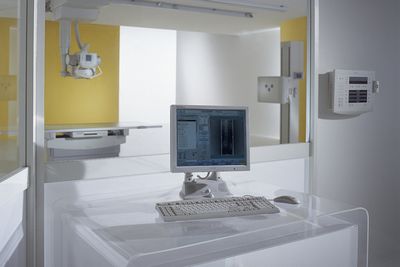
DICOM医疗数字影像传输协议(DICOM,Digital Imaging and Communications in Medicine)介绍

DICOM协议也许看起来很枯燥,各种英文缩写、专业术语。但这些都是为了实际应用设计的,这里从用户最终接触的应用层来介绍一下:


官方网站:http://dicom.nema.org/

医疗数字影像传输协议(DICOM,Digital Imaging and Communications in Medicine)是一组通用的标准协定,在对于医学影像的处理、储存、打印、传输上,它包含了档案格式的定义及网络通信协定。DICOM是以TCP/IP为基础的应用协定,并以TCP/IP联系各个系统。两个能接受DICOM格式的医疗仪器间,可借由DICOM格式的档案,来接收与交换影像及病人资料。

DICOM可以整合不同厂商的医疗影像仪器、服务器、工作站、打印机和网络设备,使它们都能整合在PACS系统中。许多不同厂商的仪器、服务器、工作站都根据DICOM的标准,来制造支援DICOM机器。DICOM已经广泛地被医院所采用,并且在牙医和一般的诊所中获得小规模的运用。

软佳影像存储与传输系统(SoftPlus Picture Archiving And Communication System) 完全按照DICOM标准设计的全院级Full-PACS,要了解详细信息请访问:http://www.ynhis.com

目录
    * 1 DICOM的资料格式
    * 2 DICOM服务
          o 2.1 储存
          o 2.2 储存确认
          o 2.3 影像获得
          o 2.4 工作列表
          o 2.5 原始端执行进程记录(Modality Performed Procedure Step)
          o 2.6 打印
          o 2.7 离线支援
    * 3 历史

1. DICOM的资料格式
在所有的用途上都是使用相同的格式,包括了网络应用和档案处理,和其他格式不同的是它统合了所有的资讯在同一个资料内,也就是说,如果有一张胸腔X光影像在你的病人个人资料内,这个影像决不可能意外地再从你的病人资料中分离。

DICOM的档案是由标准化且自由型式的开头再加上一连串的影像数据,单一个DICOM的物件只包含一张影像,但是此影像可能会有多个套图,这是为了能储存动态影像以及其他复图形式的资料,影像资料可以经压缩用在其他的格式上,包括了JPEG, JPEG Lossless, JPEG 2000, LZW and Run-length encoding (RLE)。

2. DICOM服务
DICOM是由多种支援服务结合而成,大部分和网络上的资料传输有关,下面的这些处理过程和它只是小有关系。
2.1储存
DICOM的储存服务是用在传送影像或是将其他的持续物件(persistent objects)(例如整理过的病历报告)传送到PACS的工作站。

2.2 储存确认
DICOM的储存确认是一种为了确定影像储存在特定地方(可能是硬盘或是其他的支援媒界,如烧在光碟内)的服务,此等级的用户端(机器设备或是工作站等)用从服务供应器(储存站或原始端)发出的资讯来确认,以确保原始端的影像可以放心地删除了。

2.3 影像获得
此项功能让工作站可以找到影像列或是其他的PACS物件,如此便可取得影像。

2.4 工作列表
此项功能让一个图像设备(a modality)可以以电子方式接收到病人的详细信息和计划对此病人进行的检查,以此避免重复输入信息以及在重复输入信心中产生错误。

2.5 原始端执行进程记录(Modality Performed Procedure Step)
原始端工作列的附加服务,可以让原始端送出有关此项检查的其他资料,如获得的影像数还有剂量的输出数等等。…

2.6 打印
DICOM的打印服务是将影像传送至DICOM印列机,大部分是输出x光影像,有一套标准的校正程序,以确保在不同的显示装置(包括数位复制)中仍保有一致性。

2.7 离线支援
DICOM限制DICOM上的支援设备名称有8字符的名字(很多人都错误地用8.3,但那是不合法的),研发者没有小心地注意这个限制通常都是问题产生的来源,要和旧的系统久远保持相容性是相当重要的,DICOM也改修了档案定位的方式,就是DICOMDIR档案,它提供了媒体形式的导引和结论等资讯,DICOMDIR资料对每一个档案可以存放的资讯比其他的档案类型都大得多,有时就不需要有意义的档案名称。

3. 历史
早期著名的DICOM标准是3.0版,在1993年发明,原先是在用国际电子制造组织(NEMA)还有许多公众产业上,也有不少公开的支援工具。媒体形式的交换测试、光碟媒体形式的连接过程、和由IHE组织发展的网络活动等都不断地运作。

DICOM支持的设备有下列项目:

    * AS = Angioscopy血管镜
    * BI = Biomagnetic Imaging生物磁场成像
    * CD = Color Flow Doppler彩色血流多普勒
    * CF = Cinefluorography
    * CP = Culposcopy
    * CR = Computed Radiography计算机X线摄影
    * CS = Cystoscopy膀胱镜检查
    * CT = Computed Tomography X线断层摄影术
    * DD = Duplex Doppler双工多普勒
    * DF = Digital Fluoroscopy数字透视
    * DG = Diaphanography
    * DM = Digital Microscopy数字显微镜
    * DSA = Digital Subtraction Angiography数字减影心血管造影术
    * DX = Digital Radiography数字X线摄影
    * EC = Echocardiography超声心动图
    * ES = Endoscopy内视镜
    * FA = Fluorescein Angiography透视血管摄影
    * FS = Fundoscopy
    * HC = Hard Copy硬拷贝
    * LP = Laparoscopy腹腔镜摄影
    * LS = Laser Surface Scan激光体表扫描
    * MA = Magnetic Resonance Angiography磁共振血管摄影
    * MR = Magnetic Resonance磁共振
    * MS = Magnetic Resonance Spectroscopy磁共振波谱
    * NM = Nuclear Medicine 核医学
    * OT = Other其他
    * PT = Positron Emission Tomography (PET) 正电子发射断层显像
    * RF = Radio Fluoroscopy透视摄影
    * RG = Radiographic Imaging (conventional film screen) X线成像
    * RTDOSE = Radiotherapy Dose放射治疗剂量
    * RTIMAGE = Radiotherapy Image放射治疗影像
    * RTPLAN = Radiotherapy Plan放射治疗计划
    * RTSTRUCT = Radiotherapy Structure Set
    * ST = Single-photon Emission Computed Tomography单光子放射断层摄影
    * TG = Thermography热影像技术
    * US = Ultrasound超音波检查
    * VF = Videofluorography
    * XA = X-Ray Angiography X光血管摄影
    * XC = eXternal Camera
    * ECG = Electrocardiograms心电图

在这里说明一下如何简单的判断一套PACS软件完全使用了DICOM协议:
按照标准协定,医学影像的处理、储存、打印、传输上都必须完全使用DICOM协议,一些Mini-PACS、科室级的PACS系统采用目录共享,FTP方式来传输影像,某一个环节没有使用DICOM标准协议,并不是“正宗”的PACS软件,这样封闭的系统兼容性不好,医院影像设备越多问题就越多。能全部支持上面设备的PACS必须一开始就完全遵循DICOM标准协议设计。

[待续…]
>PACS( Picture Archiving And Communication System)介绍和发展方向
>全院级Full-PACS系统设计
>云南PACS软件厂商分析

PACS( Picture Archiving And Communication System)介绍和发展方向

PACS( Picture Archiving And Communication System)介绍

PACS( Picture Archiving And Communication System)覆盖了医学影像从获取、传输、存储、显示和管理的整个过程。PACS系统从小型单机工作站的Mini PACS、科室级的Digital PACS、全院级Full-Service PACS 到区域PACS,在规模上相差悬殊,但都采用DICOM(Digital Imaging and Communications in Medicine)标准,具有医学影像获取和传输、大容量数据存储、图像显示和处理功能。

PACS系统的发展经历从简单到高级、由技术研究到广泛商业应用的过程。1985年美国军方开始DINPACS的研究开发,上世纪九十年代中期第一代商业PACS 产品的问世,PACS 系统发展到今天已被医疗机构广泛接受并越来越普及,应用层次也从医学影像的浏览存储,向更高级应用方向发展。

PACS 的主要功能和应用包括:
*用图像服务计算机来管理和保存图像(以取代传统胶片库);
*医生用影像工作站来看片(以取代传统的胶片与胶片灯);
*通过 DICOM 3.0 国际医疗影像通讯标准和诊断工作站将全院各科室临床主治医师、放射科医师和专科医师以及各种影像、医嘱和诊断报告联成一网;
*用WEB、Email 等现代电子通讯方式来做远程诊断和专家会诊(以取代传统的胶片邮寄和电话、书信等);
*用专业二维、三维分析软件辅助诊断;用专业医疗影像诊断报告软件以取代传统录音和纸笔。[/quote]

PACS应用等级:
1.Mini-PACS:是指只用在单一类型的影像设备,如Computed Tomography (CT) 或者Magnetic Resonance Imaging (MRI)等。
2.科室级的PACS+RIS:放射科多台影像设备可实现影像、诊断报告共享。
3.全院级Full-PACS :将全院各科室临床主治医师、放射科医师和专科医师以及各种影像、医嘱和诊断报告联成一网。

软佳影像存储与传输系统(SoftPlus Picture Archiving And Communication System) 的定位是全院级Full-PACS,使用DICOM 3.0国际医疗影像通讯标准对影像进行处理、存储、打印、传输,全院各科室临床主治医师、放射科医师和专科医师都能获得影像和诊断报告。软佳电子病历系统(Softplus Electronic Medical Record System) 目前已经集成PACS影像查看和诊断报告查看。软佳医院信息管理系统(SoftPlus Hospital Information System) 可和上述两个系统做无缝集成。
软佳医疗软件:http://www.ynhis.com

云南省PACS发展方向
云南省医院PACS情况:医院影像设备是从一到多、多厂商产品并存,医院采购一套影像设备一般就带进了一套Mini-PACS,随着医院规模的扩大,多套Mini-PACS不能实现影像、诊断报告共享,不同Mini-PACS还得化很多时间去适应,医院影像设备越多越感觉到Mini-PACS带来的不便,目前大部分医院能实现科室级的PACS+RIS就已经不错了。究其原因主要是Mini-PACS标准化程度低、兼容性差、一般为封闭式的专用Mini-PACS系统,既不经济、价格也昂贵,配置的硬件不够合理,对工作量大的医院缺乏强大的存储子系统,无法支持数握量巨大的常规放射影像,因此不能真正实现“无片化”管理。多数PACS系统也没有其有效的工作流程和自动化管理功能,也不能向临床诊断提供所需的全部,表现在在线信息少,响应速度慢。对网络安全、保密和符合法律要求方面还不可靠。现有的PACS系统设计大多数没有考虑技术发展和扩展需要的可能,难于与现有的HIS/RIS整合为一个系统。

PACS在云南省内发展方向重点在:
*应严格遵守国际技术标准的系统设计和完全开放式的体系结构,基于IHE、DICOM3.0和 HL-7(医疗保健)等国际标准;
*基于Internet/Intranet技术的网络结构,需支持局域网(LAN)、广域网(WAN),可远程会诊;
*支持多服务器,采用TB级、PB级存储子系统,提高响应能力;
*提供容错、纠错能力及更好的数据安全性和灾难恢复能力;
*为了进一步降低成本,采用模块化设计,系统界面友好,有强大的中文支持能力,易学易用;
*有语音、图像和数据的传输等多种技术的无缝整合;有完整的系统解决方案,系统利于维护和技术支持。

[待续…]
>DICOM医疗数字影像传输协议(DICOM,Digital Imaging and Communications in Medicine)介绍
>全院级Full-PACS系统设计
>云南PACS软件厂商分析

软佳产品销售报表系统 (SoftPlus Product Sales Report System) 软件升级 2011.03

软佳产品销售报表系统(SoftPlus Product Sales Report System)
软件升级:
1. 服务程序 V1.16 
2. 系统管理 V1.04
3. 产品销售报表模块 V1.06

软佳产品销售报表系统 (SoftPlus Product Sales Report System)

一.系统介绍
本软件是属于定制软件系统,主要实现产品的销售和报表,对不同机构设置对应权限,报表分为人员统计表、产品销售报排名表、产品销售记录。

二.程序特点
1. 采用Borland delphi 编程,使用MS SQL SERVER 2000数据库
2. C/S结构,使用专用服务程序,可使用于局域网和广域网。
3. 系统自带数据转换程序,可导入数据和导出数据,支持10多种数据格式,
4. 提供多样灵活的查询,可对数据进行任何统计并打印报表或输出EXCEL文件
5. 采用严谨的程序设计和完善的错误提示,对操作人员要求低

三. 模块说明
1. 服务程序:提供TCP/IP、WWW服务,版本自动升级管理,模块连接监控,数据库备份恢复,SQL日志文件收缩等
2. 系统管理模块:操作人员管理,部门管理,数据库表全权限操作,数据导入导出。
3. 产品销售报表模块:产品销售录入和产品销售记录管理,综合查询统计。

软件网站:http://www.softplus.org/

MPlayer 介绍

MPlayer原本是Linux上的一个播放软件,目前已经有多平台的版本推出,软佳多媒体信息发布系统最新版本可用这个软件来播放视频、音频。

MPlayer Features

MPlayer is a movie player which runs on many systems (see the documentation). It plays most MPEG/VOB, AVI, Ogg/OGM, VIVO, ASF/WMA/WMV, QT/MOV/MP4, RealMedia, Matroska, NUT, NuppelVideo, FLI, YUV4MPEG, FILM, RoQ, PVA files, supported by many native, XAnim, and Win32 DLL codecs. You can watch VideoCD, SVCD, DVD, 3ivx, DivX 3/4/5, WMV and even H.264 movies.

Another great feature of MPlayer is the wide range of supported output drivers. It works with X11, Xv, DGA, OpenGL, SVGAlib, fbdev, AAlib, DirectFB, but you can use GGI, SDL (and this way all their drivers), VESA (on every VESA compatible card, even without X11!) and some low level card-specific drivers (for Matrox, 3Dfx and ATI), too! Most of them support software or hardware scaling, so you can enjoy movies in fullscreen. MPlayer supports displaying through some hardware MPEG decoder boards, such as the Siemens DVB, DXR2 and DXR3/Hollywood+.

MPlayer has an onscreen display (OSD) for status information, nice big antialiased shaded subtitles and visual feedback for keyboard controls. European/ISO 8859-1,2 (Hungarian, English, Czech, etc), Cyrillic and Korean fonts are supported along with 12 subtitle formats (MicroDVD, SubRip, OGM, SubViewer, Sami, VPlayer, RT, SSA, AQTitle, JACOsub, PJS and our own: MPsub). DVD subtitles (SPU streams, VOBsub and Closed Captions) are supported as well.
License

MPlayer is available under the GNU General Public License version 2. It is not available under any other licensing terms, not even for substantial amounts of money. If you have questions about the GNU GPL, consult the GPL FAQ.
Supported Input Formats

    * (S)VCD (Super Video CD)
    * CDRwin's .bin image file
    * DVD, including encrypted DVD
    * MPEG-1/2 (ES/PS/PES/VOB)
    * AVI file format
    * ASF/WMV/WMA format
    * QT/MOV/MP4 format
    * RealAudio/RealVideo format
    * Ogg/OGM files
    * Matroska
    * NUT
    * NSV (Nullsoft Streaming Video)
    * VIVO format
    * FLI format
    * NuppelVideo format
    * yuv4mpeg format
    * FILM (.cpk) format
    * RoQ format
    * PVA format
    * streaming via HTTP/FTP, RTP/RTSP, MMS/MMST, MPST, SDP
    * TV grabbing

Supported Video and Audio Codecs
most important video codecs:

    * MPEG-1 (VCD) and MPEG-2 (SVCD/DVD/DVB) video
    * MPEG-4 ASP in all variants including DivX ;-), OpenDivX (DivX4), DivX 5 (Pro), Xvid
    * MPEG-4 AVC aka H.264
    * Windows Media Video 7/8 (WMV1/2)
    * Windows Media Video 9 (WMV3) (using x86 DLL)
    * RealVideo 1.0, 2.0 (G2)
    * RealVideo 3.0 (RP8), 4.0 (RP9) (using Real libraries)
    * Sorenson v1/v3 (SVQ1/SVQ3), Cinepak, RPZA and other QuickTime codecs
    * DV video
    * 3ivx
    * Intel Indeo3 (3.1, 3.2)
    * Intel Indeo 4.1 and 5.0 (using x86 DLL or XAnim codecs)
    * VIVO 1.0, 2.0, I263 and other H.263(+) variants (using x86 DLL)
    * MJPEG, AVID, VCR2, ASV2 and other hardware formats
    * FLI/FLC
    * HuffYUV
    * various old simple RLE-like formats

most important audio codecs:

    * MPEG layer 1, 2, and 3 (MP3) audio
    * AC3/A52, E-AC3, DTS (Dolby Digital) audio (software or SP/DIF)
    * AAC (MPEG-4 audio)
    * WMA (DivX Audio) v1, v2
    * WMA 9 (WMAv3), Voxware audio, ACELP.net etc (using x86 DLLs)
    * RealAudio: COOK, SIPRO, ATRAC3 (using Real libraries)
    * RealAudio: DNET and older codecs
    * QuickTime: Qclp, Q-Design QDMC/QDM2, MACE 3/6 (using QT libraries), ALAC
    * Ogg Vorbis audio
    * VIVO audio (g723, Vivo Siren) (using x86 DLL)
    * alaw/ulaw, (ms)gsm, pcm, *adpcm and other simple old audio formats

The codec status page has the complete list and is updated daily.
Supported Video Output Devices
general:

    * x11: X11 with SHM extension
    * xv: X11 using overlays with the Xvideo extension (hardware YUV & scaling)
    * xvmc: Xvideo Motion Compensation
    * vidix: VIDeo Interface for *niX
    * xvidix: VIDIX in an X11 window
    * cvidix: VIDIX on the console
    * winvidix: VIDIX under Windows
    * dga: X11 DGA extension (both v1.0 and v2.0)
    * gl: OpenGL renderer
    * gl2: alternative OpenGL renderer (with multiple textures)
    * fbdev: framebuffer output
    * svga: SVGAlib output (supports EGA displays)
    * sdl: SDL >= v1.1.7 driver
    * ggi: GGI graphics output
    * aalib: text mode rendering
    * caca: text mode rendering in color
    * vesa: display through the VESA BIOS (also needed for Radeon TV-out)
    * directfb: DirectFB support
    * direct3d: native Windows Direct3D 9 output driver
    * directx: native Windows DirectX output driver
    * quartz: native Mac OS X output driver

card specific:

    * mga: Matrox G200/G400/G450/G550 hardware YUV overlay via the mga_vid device
    * xmga: Matrox G200/G400/G450/G550 overlay (mga_vid) in X11 window (Xv emulation on X 3.3.x!)
    * syncfb: Matrox G400 YUV on framebuffer
    * 3dfx: Voodoo 3/Banshee hardware YUV (/dev/3dfx)
    * tdfxfb: Voodoo 3/Banshee hardware YUV on tdfx framebuffer
    * mpegpes: Siemens DVB hardware MPEG-1/2 decoder boards (or MPEG-PES file output)
    * dxr2: DXR2 hardware MPEG-1/2 decoder boards
    * dxr3: DXR3/Hollywood+ hardware MPEG-1/2 decoder boards
    * zr: Zoran360[56]7 based hardware MJPEG cards
    * vdpau: hardware acceleration for NVidia cards

special:

    * png: PNG output
    * jpeg: JPEG output
    * gif89a: animated GIF output
    * tga: Targa output
    * yuv4mpeg: yuv4mpeg output for mjpegtools
    * pgm: PGM output (for testing purposes)
    * md5: MD5sum output (for debugging)
    * null: null output (for speed tests/benchmarking)
    * bl: Blinkenlights output

See the video card section of the documentation for more details.
Supported Audio Output Devices

    * OSS (Open Sound System) – factory standard under UNIX
    * SDL (Simple Directmedia Layer) – wrapper library with support for various systems
    * ALSA (Advanced Linux Sound Architecture) 0.5/0.9/1.0 for Linux
    * SUN audio driver for BSD and Solaris8/9 users
    * SGI audio for IRIX
    * Mac OS X audio
    * Windows audio
    * NAS (Network Audio System)
    * ESD (ESound Daemon)
    * ARTS (KDE Sound System)
    * JACK (Jack Audio Connection Kit)

Speed

Most of time-critical parts are optimized for Intel/AMD (MMX/MMX2/SSE/SSE2/3DNow!/3DNowEx), PowerPC G4 (Altivec), SPARC (VIS), ARM PDAs and the Sony Playstation 2.
GUI

MPlayer comes with a GUI that is not built by default. The GUI section of the documentation explains how to enable it. Several external MPlayer frontends provide alternative GUIs.

中文说明文档:http://www.mplayerhq.hu/DOCS/HTML/zh_CN/MPlayer.html
下载:http://www.mplayerhq.hu/design7/dload.html

30个软佳多媒体信息发布系统可以使用的‘文件显示插件(Display PlugIns)’介绍

软佳多媒体信息发布系统最新版本支持文件显示插件(Display PlugIns),软佳多媒体信息发布系统采用本地文件播放的方式,和传统方式将各种播放素材转换为视频文件不同,本地文件播放方式适用于对输出要求很高的场合,播放效果好不失真。为了支持越来越多的文件格式,特别制作了文件显示插件(Display PlugIns)接口,支持多种已有的WLX Plugins。单机版播放软件缺省加载一个插件。有特殊需要的播放插件可以定制。

30个软佳多媒体信息发布系统可以使用的文件显示插件(Display PlugIns)介绍:

1. 视频播放插件可以用mplayer,连MOV,RM都支持,支持目前市场大部分音、视频输出设备。目前最好用的视频播放软件,自带视频、音频解码器。
mplayer is a movie player for Linux (runs on many other platforms and CPU architectures, see the documentation). It plays most MPEG/VOB, AVI, ASF/WMA/WMV, RM, QT/MOV/MP4, Ogg/OGM, MKV, VIVO, FLI, NuppelVideo, yuv4mpeg, FILM and RoQ files, supported by many native and binary codecs. You can watch VCD, SVCD, DVD, 3ivx, DivX 3/4/5, WMV and even H.264 movies, too.

MPlayer supports a wide range of video and audio output drivers. It works with X11, Xv, DGA, OpenGL, SVGAlib, fbdev, AAlib, libcaca, DirectFB, Quartz, Mac OS X CoreVideo, but you can also use GGI, SDL (and all their drivers), VESA (on every VESA-compatible card, even without X11), some low-level card-specific drivers (for Matrox, 3dfx and ATI) and some hardware MPEG decoder boards, such as the Siemens DVB, Hauppauge PVR (IVTV), DXR2 and DXR3/Hollywood+. Most of them support software or hardware scaling, so you can enjoy movies in fullscreen mode.

MPlayer has an onscreen display (OSD) for status information, nice big antialiased shaded subtitles and visual feedback for keyboard controls. European/ISO8859-1,2 (Hungarian, English, Czech, etc), Cyrillic and Korean fonts are supported along with 12 subtitle formats (MicroDVD, SubRip, OGM, SubViewer, Sami, VPlayer, RT, SSA, AQTitle, JACOsub, PJS and our own: MPsub) and DVD subtitles (SPU streams, VOBsub and Closed Captions).

2. AmpView play WAV, MP3, MP2, MP1, Ogg Vorbis, WMA files and CD Audio tracks using BASS sound system (bass.dll, basswma.dll). It also supports MOD music and MO3 music(MO3, IT, XM, S3M, MTM, MOD, UMX formats) using BASS's native function. Also you can open PlayLists (m3u and pls).

3. ICLView Show icons in files. Supported extentions: ico, icl, exe, dll, scr, ocx, bpl, wlx, wfx, wcx, wdx, cpl, acm.

4. MultiLister (PDF Filter) The plugin receives a filename to be viewed . It then searches the listfilter.ini for availability of the section named as the file extension. Thus, the section [PDF] should be present for files with .PDF extension, the section [ABC] should be present if the plugin is also capable of viewing files with ABC extension, etc. Thus, the plugin is not limited with only PDF/PS/EPS extensions, but can process an arbitrary file provided there is a converter (converters) capable to convert the file into BMP/GIF/JPG, TXT/RTF, or HTML.

5. HTMLView IE-based file viewer plugin for ,This plugin shuld be used only if the computer is powerful enough, otherwise delays may be pretty significant. The plugin uses MS WebBrowser control to view html documents.

6. OpenOffice.org HTML Viewer This plugin allows to view OpenOffice.org documents (http://openoffice.org). Documents are converted to XHTML form, so you can see them with most of formatting!
Not all document styles are supported currently, because of underlying XSL stylesheets work — I hope, we will have full-featured XSL stylesheets someday that support more OpenOffice.org formats and more document styles.
Currently supported formats are:
– OOo 1.x Writer documents (SXW STW SXC STC SXD STD)
– OOo 2.x Writer documents (ODT, OTT)
– MS Word 2007 (DOCX)

7. Jad plugin for viewing Java classes files

8. Imagine Imagine – Image/Animation Viewer for Windows. Supported formats: JPG;JPEG (JFIF Compliant), GIF (Graphics Interchange Format), PNG (Portable Network Graphics), BMP (Windows lub OS/2 Bitmap), PCX (Zsoft Paintbrush), TGA (Truevision Targa), PSD (Adobe Photoshop), TIF;TIFF (Tagged Image File Format), LBM;IFF (IFF Interleaved Bitmap), FLI;FLC (Autodesk Flic Animation), SPR (Pro Motion Animation), PCD (Kodak PhotoCD), JPC;JP2;J2K (JPEG2000 Wavelet), PBM;PGM;PPM (Portable Bitmap), RAS (Sun Raster Image), SGI;RGB;BW (Silicon Graphics Image), JBG;JBIG (JBIG Bi-level Image), ICO (Windows Icon), CUR (Windows Cursor), ANI (Windows Animated Cursor), CLP (Windows Clipboard), RLE (Utah RLE).

Features:
– Views Image/Animation files with the fastest speed. (NO dependence on their extensions)
– Numerous image formats supported.
– Shows information of image/animation files.
– Shows EXIF(JPEG) information.
– Shows transparency.
(Imagine also shows the alpha channel in 32bit image.)
– Extracts a frame(or whole frame) from Animation file.
– Exports Animation file to Animated GIF file/AVI/Flic/Pro Motion Animation. – Manipulates image (Flip,Grayscale,Negative,Change color depth,Swap colors,Rotate,Resize, Effect filter,Edit palette,Transparency set)
– Tiny & Fast & Pure & Neat executable.
– Fully customizable.
– Plugin add-on available.
– Multilingual support
– NO dependence on any OLE method or any other external viewer.
– NO creation or use of any registry value except for essential things.
– Shell extension support.

9. CADView This is a lister plugin allows you to display Autodesk(tm) DXF,DWG and Hewlett Packard HPGL/HPGL2 formats.

10. IniEd viewing and editing settings files (*.ini, *.inf, *.reg).

11. decFLTViewer Graphic viewer, which uses FLT: Office filters. (CDR CGM EPS GIF GFA JPG JPE JPEG JFIF PCT PICT PNG WPG)

12. MediaShow Plugin for viewing Media files (AVI, MPG, MPEG, DAT, MP1-MP3, WAV, WMA, ASF, OGG, MID, KAR, Winamp-playlist).
For correct work plugin DirectX 8.1 or higher requires

13. LnkView Plugin that allows to view *.lnk file

14. Office 2007 Office2007.wlx plugin allows to Microsoft Ofice files as plain text in the lister window.

15. SQLLite Plugin allows to view SQLite databases

16. MchQHFView Plugin allows to view QIP PDA and QIP Infium history file

17. LogViewer Plugin to view the text log files, with autoreload (tail, as in the Far manager). – Ability to view very large files (5Gb or more) – Quick, does not load the processor and memory – Ability to set text color, depending on the content of strings – Text searching and filtering

18. WhoOpenDoc Plugin that allows to view ~$*.doc file, creating Microsoft Word when open file. That allow view, who open file. Usefull for the multiusers work with the document.

19. SVGwlx This plugin allows to preview SVG / SVGZ files in lister's window

20. Sketchup Viewer Plugin allows for viewing Sketchup files

21. CDBFview Plugin allows you to view DBF files in Lister's window (Also in Quick View Panel).
You can:
– search some text in the DBF file.
– copy to the clipboard the selected record.
– hide or show deleted records.
– sort DBF file by clicking on a column header.
– set default order of records.
– switch Ansi/OEM charset.

22. IMGView plugin for displaying image file types BMP,EMF,EPS,GIF,ICO,JPG,PCX,PIC,PNG,PSD,PSP,SCR,SGI,TGA,TIF,WMF

23. xBaseView xBaseView is a multifunctional database tool which designed for the novice database administrators or the advanced users of databases. It looks like Microsoft Windows Explorer and it allows you to work with databases just like in Explorer: the database files are displayed in the folder-tree and you can open it by the mouse. With xBaseView, you can perform all typical operations with databases, such as searching, filtering and printing of records. It can open any database via the ADO, ODBC and BDE universal industrial technologies, and can directly open 15 types of databases. xBaseView provides direct export of the data to 16 formats (direct import – from 14 formats), and it can export (and import) them to any format of databases via the universal technologies. The database experts can create up to 10 various types of files; can perform SQL-queries and other operations.

24. TxQuickView TxQuickView is a universal file viewer plugin . It embeds Windows Media Player, QuickTime and RealPlayer for multimedia files and show all information (including ressources) for executable files. The viewer for Delphi forms can be easily extended with your own derived Delphi classes by adding them to TxQuickView.ini. TxQuickView hosts the Internet Explorer for viewing GIF, HTML and PDF. If a folder is selected in TC, TxQuickView displays a tree view with subfolders and their sizes.

Supported formats
1) Images:
AWD, BMI, BMP, BW, CAL, CALS, CDR, CDT, CEL, CIT, CLP, CMX, COT, CPT, CUR, CUT, DCX, DIB, FLC, FLI, GEM, GIF, HAM, HRZ, ICN, ICO, IFF, IMG, JFF, JIF, JMX, JPE, JPG, LBM, MIL, MAC, MSP, OFX, PAN, PAT, PBM, PC2, PCD, PCT, PCX, PGM, PIC, PNG, PNM, PPM, PSD, PYX, QFX, RAS, RGB, RLE, SAM, SCx, SEP, SGI, ST, STW, SUN, TGA, TIFF, UDI, WPG, ZBR, ZMF
2) Multimedia:
CDA, AIF, AIFC, AIFF, ASF, ASX, AVI, WAV, WAX, WM, WMA, WMD, WMP, WMV, WMX, WPL, WVX, MPEG, MPG, M1V, MP2, MP3, MPA, MPE, MP2V, MPV2, MID, MIDI, RMI, AU, SND0, VOB, SWF (with WMP9), MOV, QT (with installed QuickTime), RAM, RM (with installed RealPlayer)
3) Documents:
DFM (Delphi forms), HTM, HTML, RTF, WRI, Text, PDF (with IE)
4) Documents with installed MS-Office:
DOC, WK1, WK3, WK4, WPS, XLS
5) Executable files:
EXE, DLL, OBJ, LIB, DBG, SYS, CPL, DRV, OCX, AX, BPL, EXP
6) Font files:
TTF, FON

25. 3ds Max The Autodesk 3ds Max Preview plugin shows the embedded preview thumbnail of 3ds Max files (Version 3 and later). Extracting the preview thumbnail does not require Autodesk 3ds Max to be installed.

26. NFO Viewer Plugin allows viewing nfo files, format the text and do some other operations.

27. 3D File Viewer Show different 3d file formats (3DS,LWO,DXF,STL,OBJ,DAT,AC,PLY,PFZ) using Progressive Fans Technology.

The file format supported are:
– 3DS 3d studio format
– LWO Lightwave object 1 & 2 (Partially)
– DXF Autocad (drawing interchange)
– STL stereolithography format (Binary and Ascii)
– OBJ Wavefront
– DAT Ldraw lego file
– AC3D www.ac3d.org
– PLY Polygon File Format also known as the Stanford Triangle Format
– PFZ Progressive fans representation

28. GIS Lister Allows to view following formats of the files:
– MapInfo MIF/MID
– MapInfo TAB
– MapInfo WOR (limited, only open tables)
– ESRI SHP
– AutoCad DXF

29. Wise Tracker Plugin for playing MOD; MDZ; NST; STM; STZ; S3M; S3Z; IT; ITZ; XM; XMZ; MTM; ULT; 669; FAR; AMF; OKT; PTM; MO3 files
30 CSV  Use this plugin for display CSV-files (Comma Separated Values format).
As delimeter used characters ';' or ',' or '|' or tab. Also you can add your delimeters via registry. Plugin can autodetect delimeter.
Recommended to use together with Access Viewer Plugin (wlx_mdb).

请访问网站http://www.SoftPlus.org

软佳多媒体信息发布系统-节目播放模块单机版V1.22

软佳多媒体信息发布系统-节目播放模块单机版V1.22

+ 播放图片优化
+ 增加显示插件(Display PlugIn)接口,可支持多种文格式

本软件是软佳多媒体信息发布系统(网络版)的单机版,需要了解软佳多媒体信息发布系统(网络版)的更多信息,
请访问网站http://www.SoftPlus.org
淘宝购买地址:http://softplus.taobao.com

软件升级:  软佳多媒体信息发布系统网络版 节目播放 V1.21 系统管理 V1.13

软佳多媒体信息发布系统(SoftPlus Multi-Media Display System) 网络版升级:
1.节目播放模块 V1.21
2.系统管理模块 V1.13

介绍:http://www.softplus.org/product_mds1.htm
下载:http://www.softplus.org/download.htm

播放屏幕截图:

网络版广告播放软件-软佳多媒体信息发布系统

软佳多媒体信息发布系统(SoftPlus Multi-Media Display System) 网络版升级:
1.节目播放模块 V1.20
2.系统管理模块 V1.12
介绍:http://www.softplus.org/product_mds1.htm
下载:http://www.softplus.org/download.htm

一、系统介绍
软佳多媒体信息发布系统是利用LAN、WAN、ADSL、ISDN、Wi-Fi、GPRS等网络技术将服务器上编排好的节目,分发到不同位置的显示终端设备进行播放,节目管理软件可随时更改播放节目,插播通知。
这类软件也称多媒体广告播放软件、多媒体广告发布系统、网络多媒体播放软件、多媒体信息播放软件、多媒体广告播放系统、全自动多媒体广告播放软件、酒店广告播放系统、多媒体显示屏播放软件、媒体网络高清广告播放管理系统、多媒体显示屏播放系统软件、商场多媒体广告播放系统、银行多媒体发布系统、网络液晶多媒体广告发布系统、医疗多媒体发布系统、楼宇多媒体广告播放系统、网络播放系统、多媒体网络广告播放系统、多媒体广告系统、多媒体广告系统发布软件、交互式多媒体广告系统。
广泛应用于政府部门、会议中心、电信营业厅、电力营业厅、银行、税务工商服务大厅、传媒集团、公共服务中心、文化中心、国际贸易展览会、汽车展、展览会、大学、商场超市、宾馆酒店、机场车站、会所酒吧、健身场馆等用于产品宣传和企业形象宣传!

二、系统功能
软佳多媒体信息发布系统与常规网络播放系统的区别是,不使用专用硬件,如机顶盒、终端机、网络广告播放盒等。服务端和客户端都使用计算机,利用显卡输出视频到电视机,液晶屏,等离子,大屏幕等显示。播放效果比传统流媒体方式好,支持各种分辨率显示。不限制客户端连接数量。

节目编排操作简单:可以设置节目开始启用时间(客户端提前下载节目及素材避开网络高峰),节目播放时间,节目状态(播放和停播),定向播放部门,节目播放时间,使用播放模板(屏幕区域划分,可以自由设定),屏幕每个区域播放内容及播放时间。可以随时增加播放节目和停播节目,插播通知。

支持格式:
文本(txt,二进制,十六进制,Unicode,RTF/UTF-8)
图像(BMP,GIF,JPG, JPEG,PCX,PNG,ICO,CUR,TIF,WMF,EMF),
多媒体(CD/VCD/DVD,MOV,AVI,MPEG,MPEG2,ASF, XVID,DIVX,MKV,H.264,支持外挂字幕,SWF(FLASH动画),WMV,MP3,MP2,MID,OGG,WAV,CDA,MLA, RMI,MP4,AAC,APE)某些媒体文件需要安装解码器软件,推荐安装FFDShow MPEG-4 Video Decoder
其它格式(HTML,MHT,XML,DOC,RTF,XLS,XLA,XLM,XLT,PPT,PPS,POT, PRE,MDB,MDA,DBF)等格式播放
加入播放的文件自动判断CRC值。
客户端播放程序可设定开机自动运行,程序运行后自动进入播放状态。支持高清电视(1920×1080-16:9,1280×720-16:9),标准清晰度电视(704×480-16:9,704×480-4:3,640×480-4:3)输出,还可输出显卡支持的其他非标准格式。在网络断开情况下只播放本地已经下载的节目。一旦网络连通自动下载服务器最新节目、更新文件、通知并切换播放。

信息采集程序支持网上图片采集和网页内容采集,例如股票指数、黄金、原油、人民币牌价、外汇汇率、开放式基金、期货、电视节目预告、国内飞机航班、利率、天气预报等。采集到的数据上传到服务器数据库,客户端播放程序在网络连接状态下自动下载并播放最新数据。

播放设备支持LCD(液晶电视)、PDP(等离子电视)、CRT电视,投影屏幕、户外大屏幕等

三、模块介绍
软佳多媒体信息发布系统采用模块化设计,共分四个模块:
1. 服务程序:提供客户端连接监控,显示实时监控信息,数据库信息查看、访问监控、日志收缩,客户端程序版本管理、升级管理。提供TCP,WWW,FTP服务。
2. 系统管理模块:部门管理,操作人员及权限管理,节目管理,数据库管理。
3. 节目播放模块:参数设置,本地节目搜索播放,自动监控服务器节目状态、下载节目、素材。(现在有软佳节目播放单机版,适合没有网络单台计算机使用,详情请看这里)
4. 信息采集模块:按采集列表自动采集internet信息并上传到服务器。

四、技术参数
采用Borland delphi 编程,服务器使用MS SQL SERVER 2000数据库,播放客户端使用MS ACCESS数据库。文件传输使用FTP。

五、运行环境:Windows 9X/Windows ME/ Windows NT/Windows 2000/Windows XP/Windows 2003/Windows Vista /Windows 7

六、技术支持: 正式用户可以获得软件免费升级服务,在线技术支持。

软佳抽奖软件系列(到目前为止有五个抽奖软件)

什么样的抽奖软件好用?当然是操作越简单越好用了!

软佳抽奖软件系列到目前为止有五个抽奖软件,分为号码抽奖软件图片抽奖软件,每一个软件针对不同的抽奖场合,功能不同。但有一个共同点:设置简单,操作简单,显示速度快!

软件列表:
1.软佳号码抽奖软件(静态背景版)2.70
2.软佳号码抽奖软件(可同时抽无限个号码)2.80
3.软佳号码抽奖软件(动态背景版) 3.00
4.软佳图片抽奖软件(静态背景版)2.50
5.软佳图片抽奖软件(动态背景版)3.00

抽奖软件操作步骤(图):

软件名称解释
1.号码抽奖软件可抽数字和中文,可以分不同奖项和不同背景图,每次可抽1个至无限制个号码。
2.图片抽奖软件可抽照片,一次一张,可以同时显示照片名称,这个和号码抽奖相同。
3.静态背景:可以使用JPG格式文件。
4.动态背景:可以用AVI,DVD,Flash,JPG,HTM,MP3,MP4等,甚至可以播放网络视频。

提示软件无破解版、绿色版,网上所谓的破解版、绿色版可能有木马和病毒,请勿下载。

软佳号码抽奖软件(动态背景) V3.00 发布

软佳号码抽奖软件推出动态背景版本,以前的版本背景只能用JPG文件,现在背景可以用 AVI,DVD,Flash,JPG,HTM,MP3,MP4等,甚至可以播放网络视频,支持格式更多,AVI还支持外挂字幕。设置多个奖项时背景可自动更换。应用范围更广!免费下载地址:http://softplus.org/product_cj.htm

本程序可以应用于任何需要号码抽奖的场合,如客户号码抽奖,手机号码抽奖,身份证号码抽奖,公司聚会抽奖,会议抽奖,姓名抽奖,住房抽奖,电视节目电话号码抽奖等。抽奖号码除了数字外,还可使用中文,使用范围更广。
背景支持格式:
文本(txt,二进制,十六进制,Unicode,RTF/UTF-8)
图像(BMP,GIF,JPG, JPEG,PCX,PNG,ICO,CUR,TIF,WMF,EMF),
多媒体(CD/VCD/DVD,MOV,AVI,MPEG,MPEG2,ASF, XVID,DIVX,MKV,H.264,支持外挂字幕,SWF(FLASH动画),WMV,MP3,MP2,MID,OGG,WAV,CDA,MLA, RMI,MP4,AAC,APE)某些媒体文件需要安装解码器软件,推荐安装FFDShow MPEG-4 Video Decoder
其它格式(HTML,MHT,XML,DOC,RTF,XLS,XLA,XLM,XLT,PPT,PPS,POT, PRE,MDB,MDA,DBF)等

二.程序特点
1. 采用Borland delphi 编程,使用专用数据库
2. 号码文件导入速度快
3. 可以定义抽奖的次数,最大999次
4. 可以定义抽奖是号码全部显示或中间加*号
5. 抽奖屏蔽鼠标,其他无关按键
6. 抽奖结束后,中奖号码保存在程序目录下win1.txt文件中
7. 中奖号码不会重复,抽奖号码小于中奖号码会提示
8. 抽奖号码可以选在屏幕中间显示
9. 可调整抽奖号码显示大小
10. 可设置多个号码(1-5个号码)同时抽奖
11. 可设最多6个奖项,每个奖项多个号码(1-5个号码)同时抽奖,显示奖项名称
12. 自动生成号码
13. 按奖项抽奖时,每个奖项可指定动态背景
14. 显示动态背景,背景可显示纯文本、图像、多媒体音频视频、Flash、HTML、等

三.操作说明
抽奖前请准备要抽奖的号码,如果是数据库或excel表格请导出成txt文本文件,一个号码一行,
没有数据库请用windows文本编辑软件,录入号码。
1.打开号码抽奖程序 ,选择菜单'文件'->‘打开号码文件',选中号码文件,导入号码成功后会显示 导入号码数量。
2. 选择菜单'文件'->‘抽奖参数设置',设置抽奖次数和抽奖时号码显示模式。
3. 如果有自己设计的背景图片文件,选择'文件'->‘更换背景图片',选择硬盘上的JPG背景图片, 程序会保存图片位置,如果下次启动时背景图片文件不存在,会使用程序缺省的图片。
4. 准备好后,按F1开始抽奖,空格停止
5. 重复4,直到抽出所有奖或者号码用完
6. 抽奖结束后,按F2建可以显示中奖号码
7. 程序目录下win.txt文件中也记录了中奖号码、时间和编号,下次抽奖开始会被覆盖。

四.常见问题
Q: 抽奖显示框被调乱了,怎么办?
A: 删除程序目录下的Set.ini文件,抽奖程序下次启动后就会使用缺省值

Q:号码会不会重复抽中?
A: 不会,每个号码一旦抽中就会做上标记。只要不读入号码(读入号码会清空数据库),剩下号码可以继续抽奖直到所有号码抽完 。

Q:试用版和正式版有什么区别?
A:试用版每次只能抽2次,其它功能和正式版一样。

Q:我的屏幕不是1024×768,Flash背景显示不是全屏,怎么调整?
A:在背景图按右键出现菜单选“放大”,然后用鼠标拖动背景图到合适位置。

Q:动态背景选择有什么要求?
A:不要选择播放时CPU占用过多的动态背景文件,这样会影响抽奖图片的显示。

Q:有几种抽奖模式?
A:两种。在没有导入新号码前,可以在两种模式间自由切换抽奖。奖品抽奖可以使用奖品照片作为背景图片。

Q:购买软件需要发票
A:需要发票请通过软行天下共享软件注册中心购买,需要增加一定的费用,以网站注明为准。

Q:购买后怎么注册?
A:在您成功付款后一个工作日内我们会通过电子邮件,QQ,淘宝旺旺发送注册文件,双击注册文件导入注册表。

Q:软件购买后可以在多台电脑安装使用吗?
A: 不可以,一台电脑一个注册文件。

五.文件说明
程序下载地址:http://www.softplus.org/
试用天数:30天
文件大小:2.23MB
运行环境:Windows 9X/Windows ME/ Windows NT/Windows 2000/Windows XP/Windows 2003/Windows Vista/Win 7
在线购买:http://www.softplus.org/buy.htm

六、技术支持: 正式用户可以获得软件免费升级服务,在线技术支持。