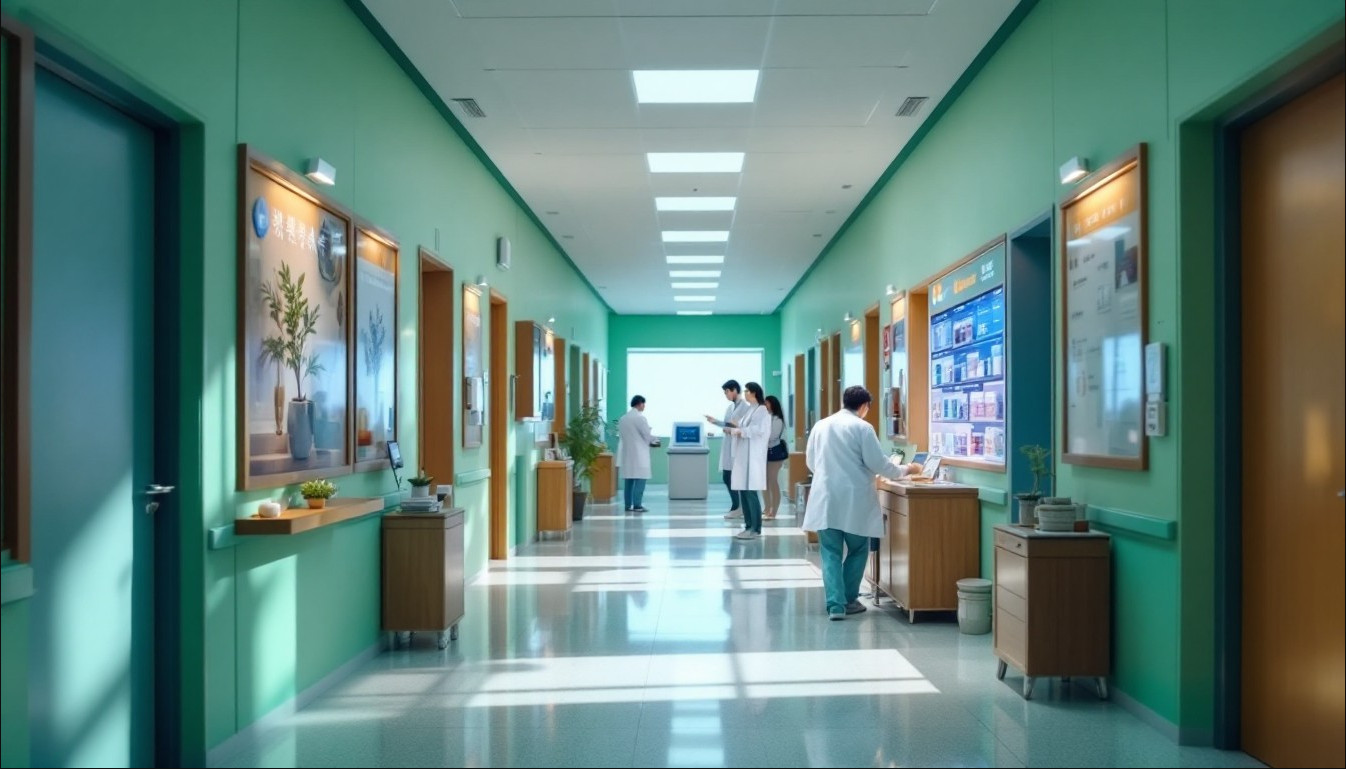
省医疗信息化年度大会,主会场座无虚席。
台上,主持人正在介绍下一位分享嘉宾:”下面,有请XX省第一人民医院信息科李主任,分享他们医院HIS系统升级的经验。”
李主任走上讲台,台下响起掌声。他打开PPT,第一页标题是:《一次系统升级,如何改变了我们的工作方式》。
台下的软佳销售小张站在角落,手心有点出汗。这是他第一次在公开场合听客户分享,而且分享的还是自己实施的项目。
1. 开场:从一个真实的故事开始
“各位同行,今天我分享的不是技术方案,而是一个故事。”李主任开场就出乎意料。
“去年这个时候,我们医院的门诊系统快撑不住了。挂号要排长队,收费窗口经常卡住,医生工作站一天断好几次。信息科的电话被投诉打爆,杨院长三天两头找我谈话,问我’什么时候能搞定’。”
台下有人会心一笑——这种场景,每个医院信息科都经历过。
“我们当时面临一个选择:是继续在老系统上打补丁,还是彻底升级?我们选了后者,选择了软佳。”
“但我想告诉大家,选择软佳,不是因为他们价格合适,也不是因为他们PPT做得好。选择他们,是因为他们在招标现场做了一件事——”
2. 招标现场的”反向提问”
李主任回溯到半年前的招标会。
“那天,五家厂商轮流上台。每家都是先讲自己多厉害,然后讲价格。软佳的小张上台后,没有急着讲产品,而是问了我们三个问题:”
“‘你们最头疼的是什么?是门诊排队太长?是住院管理混乱?还是数据报不上去?”
“这个问题,让在座的科室主任们开始交头接耳。外科赵主任说手术排程经常撞车,护士长说新护士要培训三个月才会用,药剂科冯主任说发药慢患者投诉多。”
“小张把这些都记下来,然后说:’我们的系统没有很多花哨的功能,但我们解决了这些问题。'”
“他展示的第一张截图是手术排程的冲突检测——自动提示时间冲突,一键调整。第二张是护士站的新手引导,三步完成医嘱确认。第三张是药房预配,挂号时处方就传药房,患者还没到药已备好。”
“他最后说:’我们不会给大家展示花哨的PPT,我们只会解决真实的问题。'”
李主任看向台下:”那一刻,我知道,这家厂商懂我们。”
3. 价值不是讲出来的,是算出来的
但价格是硬伤。软佳报价580万,比最便宜的华通高出60万。
“财务科王科长当场就问:’你们比华通贵60万,凭什么?'”
“小张没有辩解价格,而是画了一个表格:”
李主任在PPT上展示了那个表格:
| 维度 | 软佳(580万) | 华通(520万) |
|——|————–|————–|
| 合同价(第一年) | 580万 | 520万 |
| 三年运维费 | 包含在内 | 280万(每年18%)|
| 培训费 | 两次免费 | 额外收费(估算60万)|
| 数据迁移 | 免费 | 收费(估算30万)|
| 五年总拥有成本 | 580万 | 890万 |
“580万只是第一年的价格。”李主任说,”从第三年开始,华通每年收18%维护费,三年就是280万。而且,他们的系统设计寿命只有三年,三年后大概率要重新招标。”
“软佳的580万包含四年免费运维,系统设计寿命七年。摊到七年,每年不到83万。”
“当时王科长算了这个账,沉默了。”
4. 真正的价值:不是省钱,是别出事
但价格差距还是让院里犹豫。
关键时刻,李主任站了出来:”价格不是关键,”他说,”我们最怕的不是花几百上千万,是怕系统出问题。”
他分享了去年的数据同步故障:住院费用对不上,全院财务加班三天,最后人工核对,花了两个星期。直接成本(加班费、误工费)30万,间接成本没法算——病人投诉、领导问责、信息科信誉受损。
“那次事故后,我们评估供应商,第一个问题就是:’你们输出的系统稳定性怎么样?'”
“软佳拿出他们服务过的23家医院的数据,最老的一家2012年上线,到现在还在用,平均使用年限5.2年。故障率是行业平均的1/3。”
“多花这六十万,买个’安心’,值。”
李主任这句话,成了最终决策的关键。
5. 签约前夜的波折
签约前夜,事情差点黄了。
医院的合同修改版本把违约金提高到了3%/天,上限50%。软佳的周总差点当场拒绝。
“杨院长,”小张在电话里说,”这个条款我们不能签。3%太高,50%上限更不合理。如果我们延期16天,就要倒贴钱?”
杨院长沉默。
小张知道,她也有难处——上次供应商跑路带来的教训太沉重。
小张提出了一个新方案:
1. 违约金降到0.3%/天,上限10%
2. 分阶段验收:技术验收(UAT)→90%,业务验收(7天无重大故障)→5%,稳定运行(30天可用率>99.9%)→5%
3. 提供履约保函,银行直接兑付,不用起诉
4. 每周透明汇报,有问题提前沟通
“杨院长,我们不希望用违约金来约束关系,我们希望用透明和信任来合作。”
杨院长被说服了。她在院长办公会上力排众议,接受了软佳的条件。
“那次谈判让我明白,”李主任在大会上说,”好的合作不是’谁压谁一头’,而是’建立互信’。”
6. 透明化沟通:从”报喜不报忧”到”有问题就说”
项目开始后,软佳的透明度让李主任惊讶。
每周一上午十点,项目例会雷打不动。小张会展示上周完成情况、本周计划、当前风险和应对措施。有一次,测试环境遇到一个bug导致功能阻塞,小张在例会上如实汇报,并给出修复时间预估——明天下午四点前完成。
“如果明天修复不了呢?”刘主任问。
“如果修复遇到困难,我们会通知延期,同时加班赶工。”小张答。
李主任私下说:”你们这种’有问题就说’的风格,比那些’什么都好’的供应商让人放心。”
以前遇到过供应商,明明遇到问题,却隐瞒不报,等到 deadline 才说’做不完’。软佳提前暴露风险,反而给了医院准备和处理的时间。
” transparency 是最好的信任建立工具。”李主任总结。
7. 变更管理:不是不接,而是科学评估
项目进行到三个月时,医院提出一个新需求:增加患者满意度评价功能,要求上线前完成。
这个需求不在原合同中,评估需要5人/天工作量。
如果按照之前的变更流程,这会触发CCB评估,可能增加费用或推迟工期。
小张召集团队评估后,发现确实需要额外时间,更重要的是,需要对接医院客服系统的接口,而那个接口文档还没完全拿到。
小张在例会上如实汇报:”这个需求我们可以做,需要5人/天。但依赖客服系统的接口,如果接口延迟交付,我们的工期也会相应延后。建议CCB评估这个需求的优先级。”
刘主任听后说:”这个功能其实不是紧急的,可以放到二期。咱们先按原计划走。”
这件事让医院看到,软佳不是”无条件接需求”,而是会如实告知代价和风险。这种 honesty,反而赢得了尊重。
8. 上线顺利:没有惊喜,只有稳定
六个月后,系统正式上线。
上线过程顺利得让李主任有点不适应——没有重大故障,没有用户大规模投诉,没有信息科全员加班。系统就这么”悄无声息”地上线了,然后稳定运行。
“这得益于充分的测试和透明的沟通,”李主任说,”软佳在上线前两个月就开始做UAT,发现问题及时修复。没有把一堆问题留到上线前夜。”
上线后一个月,用户投诉率比旧系统下降了40%,门诊效率提升了15%。
9. 为什么选择软佳?李主任的总结
在分享最后,李主任回答了最核心的问题:”我们为什么会选择软佳?”
“很多人以为,医院选供应商,是看价格、看产品、看关系。但我的经历告诉我,最靠谱的供应商,是那个愿意把问题暴露在你面前的。”
“一个总是报喜不报忧的供应商,可能在你最需要帮助的时候消失。一个敢于说’这个问题我们解决不了,需要延长时间’的供应商,才是真正负责任的。”
“软佳在招标现场没有炫耀功能,而是问我们’最头疼什么’;在谈判时没有死守价格,而是展示价值;在实施中没有隐瞒问题,而是每周透明汇报。”
“这种态度,比任何技术参数都重要。”
李主任最后说:”我希望,在座的同行们在选择供应商时,不要只看价格和PPT。要看他们会为你暴露多少问题,而不是展示多少亮点。”
台下陷入短暂的安静,然后爆发出热烈的掌声。
小张站在角落,眼睛有点湿润。他知道,这半小时的分享,比他们做一年的销售都有效。
10. 会后:意料之外的转介绍
分享结束后,好几个人围着李主任询问软佳的联系方式。
其中一位来自市二院的院长拉住李主任:”你们这个系统,能不能来我们院也谈谈?我们正好要升级HIS。”
李主任笑了:”你们可以直接联系软佳的周总,人就在会场。”
这件事让老周很高兴——客户证言的力量,远大于销售千言万语。
他在内部总结中写道:”最好的营销,是客户帮你说话。而客户愿意帮你说话的前提,是你们真的为他们创造了价值,并且敢于透明沟通。”
互动话题
作为医院信息科,你有没有过被供应商”隐瞒问题”的经历?什么样的供应商会让你最放心?欢迎在评论区分享你的合作经验和看法。
> 基于真实医院场景改编,人物均为化名
立即免费试用门诊系统:https://app.kmhis.com/
International Version:https://app.kmhis.com/multi/
了解软佳门诊管理系统详情:https://www.kmhis.com/outpatient-management-system.html
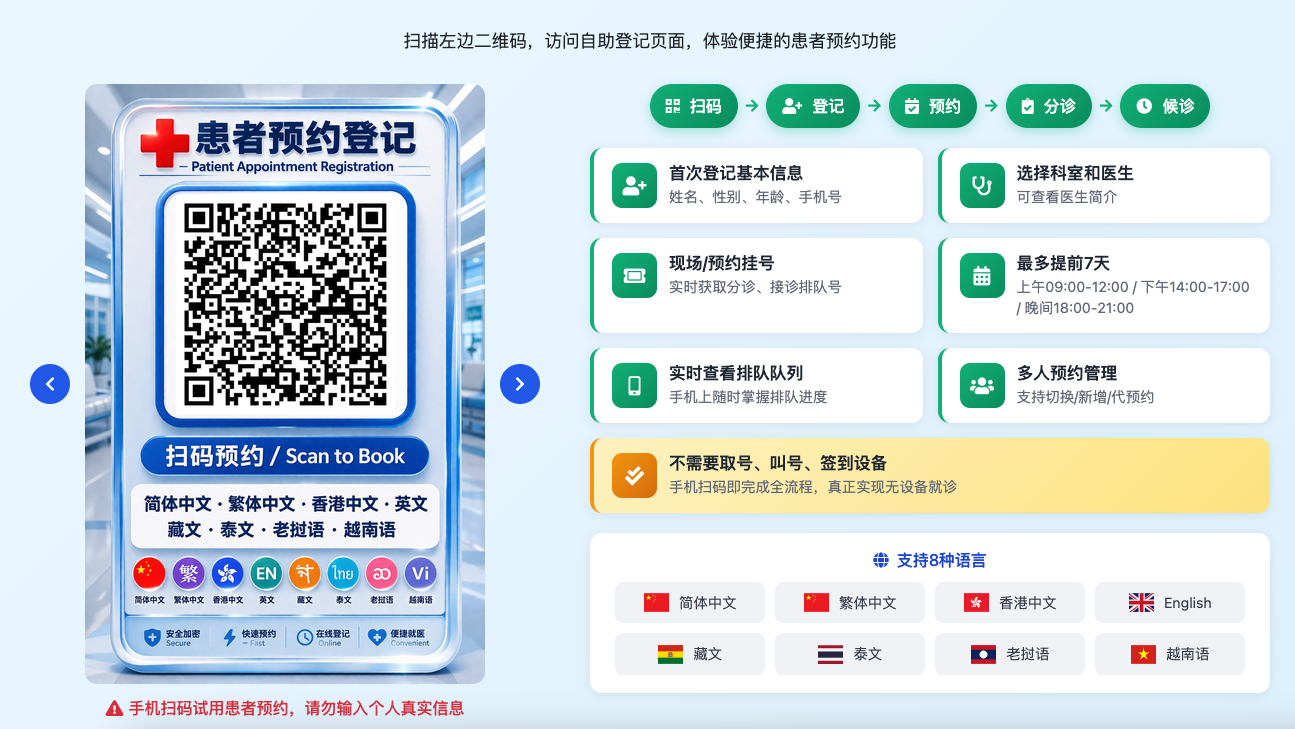
手机扫码试用患者预约。请勿输入个人真实信息(点击图片可查看原图)
支持8种语言:简体中文、繁体中文、香港中文、English、藏文、泰文、老挝语、越南语
说真的。这类问题我见过太多了。每次看到医院同事为选型头疼。我就想,要是早点有人把这些经验分享出来就好了。毕竟。选择不对。后面全是麻烦。选择对了。省心省力。还能提升整个机构的运行效率。希望这篇能帮到正在纠结的你。
你如果有具体需求。也可以去 www.kmhis.com 看看。那里有更详细的技术方案和案例。